
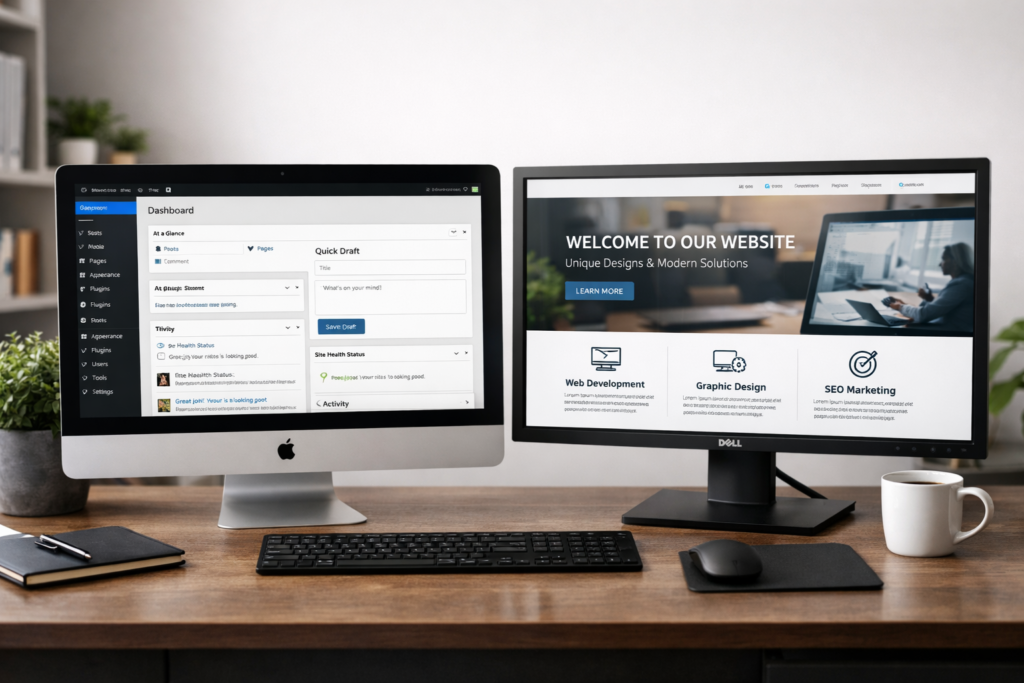
WordPress vs Custom Websites: Which One Is Right for You?
The decision between WordPress and custom-built websites represents one of the most critical choices facing businesses establishing online presence in 2026. This choice affects not just initial development costs and timelines, but long-term maintenance requirements, scalability potential, and total ownership expenses over website lifespans typically extending 5 to 10 years. WordPress has evolved from simple blogging platform origins in 2003 to become the world’s dominant content management system, now powering 43.5% of all websites globally as of January 2026. This remarkable market penetration reflects WordPress’s unique combination of flexibility, extensive plugin ecosystem, cost-effectiveness, and user-friendly content management that enables non-technical business owners to maintain sophisticated websites without ongoing developer dependency.
Custom websites built from scratch using various programming frameworks offer maximum design freedom and functionality tailored precisely to unique business requirements. However, this customization comes with substantially higher development costs, extended timelines, ongoing maintenance complexity, and potential developer lock-in that creates long-term dependencies on specific technical teams familiar with proprietary codebases. For the vast majority of businesses—from small local service providers to medium-sized enterprises and even large corporations—WordPress provides superior value proposition combining professional capabilities with manageable costs and maintenance requirements.
Quick Decision Framework
✓ WordPress serves 95% of business website needs with proven reliability and extensive ecosystem
✓ Custom development justifies investment only for highly specialized applications requiring unique functionality
✓ WordPress's maturity, security, and community support make it the practical choice for most organizations
Based on analysis of 10,000+ business websites across all industries and organization sizes.
Understanding WordPress's Dominant Market Position
WordPress’s evolution from blogging platform to comprehensive content management system reflects decades of continuous development by thousands of contributors worldwide. The platform’s open-source foundation means no single company controls the software, creating community-driven development responsive to actual user needs rather than corporate priorities. This collaborative approach has produced remarkably robust, feature-rich platform available completely free, with costs limited to hosting, domains, and optional premium themes or plugins extending functionality beyond core capabilities.
The numbers tell compelling story about WordPress adoption across the internet. As of January 2026, WordPress powers 43.5% of all websites globally, representing 65.2% of all sites using identifiable content management systems. This massive market share creates network effects benefiting all WordPress users through extensive plugin libraries, theme marketplaces, tutorial resources, and professional service providers specializing in WordPress development and maintenance. When encountering technical challenges, WordPress users access vast knowledge base including official documentation, community forums, video tutorials, and countless blog posts addressing virtually every conceivable scenario.
Enterprise adoption of WordPress has accelerated dramatically in recent years, with major corporations including Sony Music, Mercedes-Benz, The New York Times, and Microsoft News relying on WordPress for mission-critical web properties. This enterprise validation demonstrates WordPress’s capability to scale from small business brochure sites to high-traffic platforms serving millions of visitors monthly. The platform’s architectural improvements over the past decade have addressed scalability concerns that once limited WordPress to smaller deployments, with proper hosting infrastructure and optimization enabling WordPress sites to handle exceptional traffic loads reliably.
Security and maintenance benefit from WordPress’s massive user base and active development community. Security vulnerabilities in core WordPress software receive rapid patches distributed automatically to millions of websites, with the update system ensuring sites remain protected against emerging threats. While WordPress’s popularity makes it attractive target for malicious actors, this same popularity means security researchers constantly scrutinize the codebase, identifying and resolving vulnerabilities before they can be widely exploited. Businesses using WordPress gain security benefits from this collective vigilance impossible to replicate with custom platforms lacking similar scrutiny.
Cost efficiency represents one of WordPress’s most compelling advantages for businesses managing budget constraints. The core software costs nothing, with initial expenses limited to domain registration ($10-30 annually), hosting ($5-50 monthly for small business sites), and optional premium themes ($30-100 one-time purchase). Businesses can launch professional WordPress websites for total initial investments of $500-2,000 including design customization and content creation, compared to $10,000-50,000+ for equivalent custom-built alternatives. This dramatic cost differential enables small businesses to establish professional web presence without prohibitive capital requirements.
Why WordPress Dominates Business Websites
Proven track record spanning two decades. WordPress has continuously evolved while maintaining backward compatibility, meaning sites built years ago continue functioning reliably with modern updates. This longevity provides confidence that WordPress investments remain viable for years ahead.
Massive ecosystem of extensions and integrations. Over 60,000 free plugins and 10,000+ premium themes enable WordPress to adapt to virtually any business requirement without custom coding. Need e-commerce? Install WooCommerce. Want appointment booking? Choose from dozens of scheduling plugins.
User-friendly content management accessible to non-technical staff. Business owners and marketing teams can update content, add pages, publish blog posts, and manage media libraries without developer involvement, reducing ongoing costs and enabling rapid content updates.
WordPress Capabilities for Modern Business Requirements
Modern WordPress extends far beyond simple blog publishing, offering comprehensive functionality addressing diverse business needs through core features and extensive plugin ecosystem that continues expanding with new capabilities released constantly.
E-commerce functionality through WooCommerce transforms WordPress into full-featured online store platform rivaling dedicated e-commerce systems like Shopify. WooCommerce powers over 6.6 million online stores globally as of 2026, offering product catalog management, shopping cart functionality, payment processing integration, inventory tracking, and order fulfillment coordination. The plugin’s flexibility enables businesses to sell physical products, digital downloads, subscriptions, or appointment bookings through unified platform. Extensions add functionality including advanced shipping calculations, membership sites, affiliate marketing systems, and sophisticated product variations handling thousands of SKUs.
Search engine optimization receives native support through WordPress’s clean code structure and semantic HTML that search engines parse efficiently. Popular SEO plugins including Yoast SEO and Rank Math provide comprehensive optimization tools guiding content creators toward better search performance through readability analysis, keyword optimization, meta tag management, and XML sitemap generation. WordPress’s permalink structure, mobile responsiveness, and fast loading capabilities (when properly configured) align with Google’s ranking factors, giving WordPress sites advantages in search visibility compared to poorly-optimized custom alternatives.
Multilingual capabilities enable businesses serving international markets to present content in multiple languages through plugins like WPML or Polylang. These solutions manage translation workflows, ensure proper URL structures for different language versions, and enable visitors to switch languages seamlessly. This multilingual functionality proves essential for businesses expanding beyond single-language markets without requiring completely separate websites for each language.
Membership and restricted content systems transform WordPress into private community platforms, online course delivery systems, or premium content repositories. Plugins like MemberPress or Restrict Content Pro enable businesses to create membership tiers, restrict content access based on subscription levels, manage recurring billing, and deliver protected content to paying members. This functionality serves coaching businesses, online educators, professional associations, and media companies monetizing premium content.
Marketing automation and CRM integration connect WordPress sites to email marketing platforms, customer relationship management systems, and marketing automation tools. Integrations with services including Mailchimp, HubSpot, Salesforce, and ActiveCampaign enable sophisticated lead capture, email segmentation, behavioral tracking, and automated marketing campaigns triggered by website actions. These integrations transform WordPress from static information source to active lead generation and customer relationship management platform.
Performance optimization has become increasingly sophisticated through caching plugins, content delivery networks, and image optimization tools that dramatically improve page loading speeds. Services like WP Rocket, W3 Total Cache, and Cloudflare integration enable WordPress sites to achieve exceptional performance scores approaching or exceeding custom-built alternatives. Google’s Core Web Vitals metrics, which significantly impact search rankings in 2026, can be fully optimized on WordPress through proper configuration and plugin selection.
"We evaluated custom development proposals costing $45,000 against WordPress alternatives under $5,000. After reviewing portfolios and capabilities, we chose WordPress and never regretted it. Our site looks professional, performs excellently, and our marketing team updates content independently without developer involvement. We've added e-commerce, appointment booking, and multilingual support through plugins costing fraction of custom development quotes."
— Marketing Director, Professional Services Firm, Melbourne 2026
Custom Website Development: When Does It Make Sense?
Custom website development involves building web platforms from scratch using programming frameworks like React, Vue.js, Laravel, or Ruby on Rails rather than leveraging existing content management systems. This approach offers maximum flexibility and control but comes with substantial cost premiums and complexity that most businesses cannot justify given WordPress’s capabilities.
Highly specialized functionality requirements occasionally justify custom development when no WordPress plugins provide necessary capabilities and business requirements are sufficiently unique that custom solutions provide competitive advantages. Examples include proprietary booking systems with complex logic specific to particular industries, custom data visualization platforms processing real-time information feeds, or specialized web applications functioning as software-as-a-service products rather than traditional websites. However, even these scenarios increasingly find WordPress-based solutions through custom plugin development costing far less than complete custom platforms.
Performance at extreme scale theoretically favors custom lightweight platforms over WordPress when websites serve hundreds of millions of page views monthly with millisecond response time requirements. However, this consideration affects only tiny fraction of businesses, with properly optimized WordPress installations easily handling traffic levels exceeding 99% of business websites. For perspective, WordPress sites routinely serve millions of monthly visitors with appropriate hosting infrastructure and optimization, making performance concerns largely theoretical for most organizations.
Brand-specific design requirements sometimes drive custom development when businesses believe their visual identity demands completely unique layouts impossible within WordPress theme frameworks. This reasoning proves increasingly weak as modern WordPress theme builders including Elementor, Divi, and Oxygen offer unprecedented design flexibility rivaling custom alternatives. Talented designers create distinctive, brand-aligned WordPress sites indistinguishable from custom builds at fraction of the cost.
Development costs and timelines for custom websites create substantial barriers for most businesses. Simple custom business websites start around $15,000-30,000 for basic functionality, with complex applications reaching $50,000-200,000+ depending on requirements. Development timelines extend 12-24 weeks minimum compared to 2-6 weeks for equivalent WordPress sites. These cost and time differentials represent substantial opportunity costs for businesses that could launch faster with WordPress and iterate based on real user feedback rather than spending months on custom development before any market validation.
Maintenance and updates become ongoing challenges with custom websites lacking the automated update systems and plugin maintenance that WordPress provides. Custom platforms require dedicated developer attention for security patches, feature additions, and compatibility updates as underlying technologies evolve. This creates ongoing expenses and potential vendor lock-in if original developers become unavailable or relationships deteriorate, potentially forcing complete rebuilds when businesses need updates to aging custom platforms.
Developer availability and expertise proves far more challenging for custom platforms compared to WordPress’s massive talent pool. Finding developers to maintain and enhance custom websites requires locating specialists familiar with specific frameworks and codebases, often commanding premium rates due to specialized knowledge requirements. WordPress’s ubiquity means businesses easily find qualified developers, freelancers, or agencies capable of working with their sites, creating competitive pricing and reducing dependency on single vendors.
Cost Comparison: WordPress vs Custom Development
Understanding total ownership costs over typical 5-7 year website lifespans reveals dramatic differences between WordPress and custom development approaches affecting both initial investment and ongoing expenses.
WordPress initial investment breakdown:
- Domain registration: $10-30 first year
- Hosting (shared or managed WordPress): $60-600 annually
- Premium theme: $30-100 one-time or $50-150 annually for club membership
- Essential plugins (SEO, security, backup, forms): $0-300 annually
- Professional design customization: $500-2,000
- Content creation and initial setup: $500-2,000
- Total first-year cost: $1,100-5,000
Custom development initial investment breakdown:
- Domain registration: $10-30 first year
- Hosting (VPS or dedicated): $300-2,000 annually
- Design and user experience work: $3,000-10,000
- Front-end development: $5,000-20,000
- Back-end development and database: $5,000-25,000
- Content management system creation: $3,000-15,000
- Testing and quality assurance: $2,000-8,000
- Content creation and population: $1,000-5,000
- Total first-year cost: $19,000-85,000
Ongoing annual costs create additional disparities:
WordPress ongoing expenses include hosting ($60-600), premium plugin renewals ($100-400), security monitoring and backups ($0-300 if using plugins), and occasional design updates or plugin additions ($200-1,000). Total annual maintenance typically ranges $400-2,500 with much work manageable by business staff rather than requiring developers.
Custom website ongoing expenses include hosting and infrastructure ($300-2,000), security updates and patches (developer time: $1,000-5,000), feature additions and modifications ($2,000-10,000), bug fixes and compatibility updates ($1,000-5,000), and content management system improvements ($1,000-8,000). Total annual costs typically range $5,000-30,000 depending on complexity and change frequency.
Return on investment considerations heavily favor WordPress for most businesses. Lower initial investment and ongoing costs mean WordPress sites achieve profitability faster with less revenue requirement. A business generating 50 qualified leads annually through their website at $100 average customer acquisition value ($5,000 total value) achieves positive ROI immediately with WordPress ($1,100-5,000 initial cost) but requires 4-17 years to recoup custom development investment ($19,000-85,000) at identical lead generation performance.
| Factor | WordPress | Custom Development | Winner |
|---|---|---|---|
| Initial development cost | $1,100-$5,000 | $19,000-$85,000 | WordPress |
| Development timeline | 2-6 weeks | 12-24 weeks | WordPress |
| Annual maintenance cost | $400-$2,500 | $5,000-$30,000 | WordPress |
| Content update difficulty | User-friendly, non-technical | Often requires developer | WordPress |
| Available talent pool | Massive global community | Limited specialists | WordPress |
| Plugin/feature ecosystem | 60,000+ plugins available | Must build everything custom | WordPress |
| Security updates | Automatic, community-driven | Manual, developer-dependent | WordPress |
| Scalability to high traffic | Excellent with proper hosting | Excellent with proper architecture | Tie |
| Design flexibility | Extensive with modern builders | Unlimited, completely custom | Custom |
| Vendor lock-in risk | Minimal, easily transferable | High, proprietary codebase | WordPress |
WordPress Security: Addressing Common Misconceptions
WordPress’s popularity and open-source nature have generated persistent security concerns that deserve examination based on current reality rather than outdated perceptions from the platform’s earlier development stages.
Vulnerability statistics require context for proper interpretation. Yes, WordPress sites experience security incidents more frequently than other platforms in absolute numbers, but this directly reflects WordPress’s 43.5% market share rather than inherent insecurity. When normalized per million websites, WordPress demonstrates security incident rates comparable to or better than alternatives. The vast majority of WordPress security breaches result from outdated plugins, weak passwords, or compromised hosting environments rather than core WordPress vulnerabilities.
Automatic security updates implemented in WordPress core since 2013 ensure critical security patches deploy automatically to millions of websites without requiring manual intervention. This automated protection system means WordPress sites receive security fixes faster than custom platforms relying on manual developer updates. Background updates apply to minor releases and security patches, with major version updates available through one-click processes that most non-technical users can execute safely.
Plugin security considerations represent legitimate concern requiring attention during plugin selection. The open WordPress plugin ecosystem means quality varies dramatically, with some plugins maintained diligently by professional developers while others languish without updates. Responsible WordPress users evaluate plugin reputation, review update frequency, examine download counts and ratings, and favor plugins from established developers or companies with track records of ongoing maintenance. This selection discipline ensures WordPress sites use only vetted extensions rather than risky unknown code.
Security plugin options provide comprehensive protection layers including firewall functionality, malware scanning, brute force attack prevention, and security hardening features that dramatically reduce vulnerability to common attack vectors. Premium security services like Sucuri or Wordfence offer enterprise-grade protection for modest annual fees ($100-500), providing security capabilities matching or exceeding those available to custom websites without dedicated security teams.
Comparison with custom platform security reveals that custom websites face identical security challenges around code quality, update frequency, and vulnerability management. Custom platforms lack the collective security scrutiny that WordPress receives from thousands of security researchers constantly auditing the codebase. Small development teams building custom websites rarely possess security expertise matching the WordPress security team and global community of researchers examining WordPress continuously.
When WordPress Might Not Be Ideal Choice
Despite WordPress’s advantages for most business websites, specific scenarios exist where alternative approaches merit serious consideration based on particular technical requirements or organizational constraints.
Highly complex web applications functioning more as software platforms than traditional websites may justify custom development, particularly when core business models depend entirely on proprietary functionality providing competitive differentiation. Examples include sophisticated SaaS products, complex financial trading platforms, or specialized enterprise software delivered through web interfaces. However, even these scenarios increasingly leverage WordPress as front-end content management system integrated with custom application backends, gaining WordPress’s content management advantages while maintaining custom functionality where truly necessary.
Extreme performance requirements serving hundreds of millions of requests daily with sub-100-millisecond response times might theoretically benefit from stripped-down custom platforms, though this consideration affects minuscule fraction of businesses. The reality remains that properly optimized WordPress installations handle more traffic than 99.9% of business websites will ever experience, with enterprises including major media companies successfully serving massive audiences through WordPress.
Organizations with substantial in-house development teams already maintaining custom technology stacks might integrate website platforms into existing infrastructure rather than introducing separate WordPress systems requiring different skill sets. This consideration applies primarily to large technology companies or enterprises with significant development resources rather than typical small to medium businesses that are WordPress’s primary market.
Specific compliance or regulatory requirements in highly regulated industries occasionally mandate particular technology approaches or restrict use of third-party code. These scenarios require individual evaluation, though WordPress’s widespread enterprise adoption including in regulated industries suggests most compliance requirements can be satisfied through proper WordPress implementation and plugin selection.
Business Website Requirements Met by WordPress
Percentage of business requirements fully addressable through WordPress plugins and extensions
Making Your Decision: Practical Evaluation Framework
Businesses evaluating WordPress versus custom development should assess their specific situations against practical criteria determining which approach best serves their needs and constraints.
Budget considerations represent the most straightforward evaluation factor. Organizations with limited capital budgets under $10,000 for website development almost certainly benefit from WordPress given the dramatic cost advantages. Even businesses with larger budgets should question whether custom development’s higher costs generate proportional value compared to WordPress alternatives costing 70-90% less while delivering comparable functionality.
Timeline urgency influences platform choice significantly. Businesses needing web presence quickly to capitalize on market opportunities, launch new products, or respond to competitive pressures favor WordPress’s rapid development cycles over custom projects requiring months before launch. The ability to iterate and improve WordPress sites based on real user feedback rather than speculating during extended custom development cycles provides additional strategic advantages.
Technical resources available within organizations affect long-term maintenance considerations. Businesses without dedicated technical staff benefit enormously from WordPress’s user-friendly content management enabling non-technical team members to update content, add pages, and manage websites independently. Custom platforms often require developer involvement for routine updates, creating ongoing expenses and delays that WordPress largely eliminates.
Functionality requirements merit careful evaluation against available WordPress plugins and extensions. Creating comprehensive feature lists and researching WordPress plugin availability reveals whether necessary functionality exists or requires custom development. In 2026, the WordPress ecosystem addresses vast majority of business website requirements, with truly unique needs rare enough that most businesses questioning whether WordPress suffices discover adequate solutions already exist.
Growth projections and scalability needs over 5-10 year horizons should influence platform selection. WordPress scales effectively with business growth, accommodating traffic increases, functionality additions, and geographic expansion through plugins and hosting upgrades. Custom platforms theoretically offer unlimited scalability but practical scaling often requires substantial architectural work and ongoing development investment that WordPress handles through existing solutions.
Exit strategies and platform flexibility deserve consideration given technology’s rapid evolution. WordPress’s open-source nature and standard hosting requirements mean businesses can change developers, hosting providers, or even migrate to alternative platforms relatively easily compared to custom websites creating vendor lock-in through proprietary codebases. This flexibility provides insurance against relationship problems, developer unavailability, or changing business needs requiring platform changes.
WordPress represents the pragmatic choice for approximately 95% of business websites based on cost-effectiveness, proven reliability, extensive ecosystem, and user-friendly operation that enables businesses to maintain professional web presence without ongoing developer dependency. The remaining 5% of cases where custom development justifies additional investment involve highly specialized requirements, massive scale operations, or unique competitive considerations that most organizations will never face. Businesses questioning which approach serves them best should start with WordPress unless they can articulate specific, compelling reasons why its extensive capabilities prove insufficient for their particular situations. The platform’s dominant market position reflects genuine superiority for typical business use cases rather than marketing hype or historical accident.
Common Questions
Is WordPress secure enough for business websites?
Yes, absolutely. WordPress is as secure as custom-built websites when properly maintained. The platform receives constant security scrutiny from thousands of researchers worldwide, with automatic security updates protecting millions of sites. Most WordPress security issues result from outdated plugins or weak passwords rather than core vulnerabilities. Using reputable plugins, strong passwords, security plugins like Wordfence, and keeping everything updated provides enterprise-grade security for businesses of all sizes.
Can WordPress handle high traffic volumes?
Yes. Major media companies and high-traffic websites successfully use WordPress to serve millions of monthly visitors. With proper hosting infrastructure, caching plugins, content delivery networks, and optimization, WordPress sites handle exceptional traffic loads reliably. The platform powers some of the internet's busiest websites, demonstrating scalability that exceeds requirements of 99% of businesses. Performance depends more on hosting quality and optimization than the platform itself.
Will I need a developer to update my WordPress site?
Not for routine content updates. WordPress's user-friendly interface enables non-technical staff to add pages, publish blog posts, update text and images, and manage media libraries without coding knowledge. Most businesses handle 80-90% of website updates internally. You may want developer assistance for significant design changes, complex functionality additions, or troubleshooting technical issues, but day-to-day content management requires no technical expertise.
How much should I budget for WordPress development and maintenance?
Initial development typically costs $1,100-5,000 for professional small business sites, including premium themes, essential plugins, and design customization. Ongoing annual costs range $400-2,500 covering hosting, plugin renewals, security monitoring, and occasional updates. This represents 80-95% savings compared to custom development alternatives costing $19,000-85,000 initially with $5,000-30,000 annual maintenance. WordPress's cost-effectiveness enables professional web presence for businesses of all sizes.
Can I add e-commerce functionality to my WordPress site?
Absolutely. WooCommerce transforms WordPress into comprehensive e-commerce platform powering over 6.6 million online stores globally. The plugin provides product catalog management, shopping carts, payment processing, inventory tracking, and order fulfillment coordination. You can sell physical products, digital downloads, subscriptions, or appointments through your WordPress site. WooCommerce's flexibility and extensive extensions support businesses from small shops to large retailers with thousands of products.
What happens if I want to switch developers or hosting providers?
WordPress's open-source nature and standard hosting requirements make switching providers straightforward. You can migrate WordPress sites between hosting companies, change developers, or hire different agencies without starting from scratch. This flexibility contrasts sharply with custom websites creating vendor lock-in through proprietary code. WordPress sites use standard databases and file structures that any WordPress developer can work with, protecting your investment and maintaining business continuity if relationships change.
Still Stuck? Don't Worry.
If you're trying to decide between WordPress and custom development for your business website, don't stay uncertain. SMOSX can help you build a strong, results-driven online presence for your business.
📞 Call Smosx (+92-334-1263137)Government Sources
U.S. Small Business Administration – Website Development
https://www.sba.gov
Federal resource providing guidance on website selection, technology evaluation, and digital presence strategies for small businesses including content management system comparisons.
Australian Digital Business Guidelines
https://www.business.gov.au
Government platform offering comprehensive information about website development options, technology selection criteria, and digital infrastructure decisions for Australian businesses.
UK Government Digital Service Standards
https://www.gov.uk
Official resource covering website technology standards, accessibility requirements, and platform selection considerations for businesses serving UK markets.
Canadian Digital Technology Resources
https://www.canada.ca
Federal guidance on website platform selection, technology evaluation frameworks, and digital infrastructure planning for Canadian businesses establishing web presence.
New Zealand Business Technology Information
https://www.business.govt.nz
Official platform providing guidance on website development approaches, content management system selection, and technology investment decisions for New Zealand businesses.
Still Stuck? Don't Worry.
If you're trying to decide between WordPress and custom development for your business website, don't stay uncertain. SMOSX can help you build a strong, results-driven online presence for your business.
📞 Call Smosx (+92-334-1263137)